Time tracking and focus for Windows 10 and 11
Know your hours. Guard the next ones.
Chronovault records which app and website is in front of you, sorts that time into productive, neutral and distracting, and blocks the distracting ones when you start a focus session.
Waitlist members get 1 month free on top of the 15-day trial when Chronovault launches. Then ₹500/month.
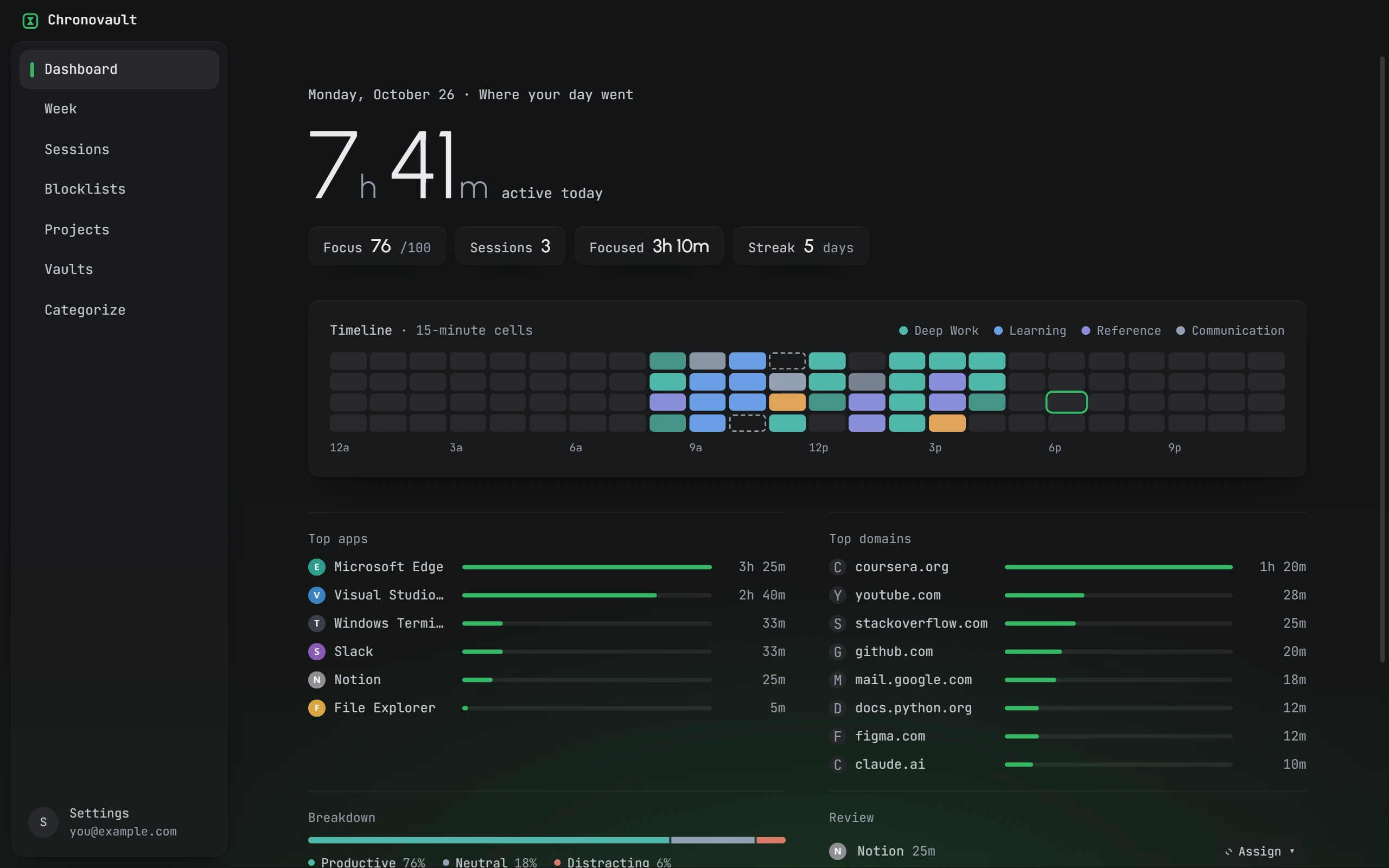
01 · Automatic tracking
Your day, recorded without a timer.
Chronovault runs in the tray and checks the foreground app every two seconds. Idle time is counted as idle. Each app and site gets a category; correct one once and Chronovault remembers.
- Daily timeline in 15-minute cells
- Week view with an hour-by-hour heatmap
- Under 150 MB RAM and 1% CPU in the background
02 · Focus sessions
Pick a length. Press start.
Run a timed session split into focus blocks and breaks, or an endless one that runs until you stop it. Link it to a project and the time lands there. After 90 minutes at the desk, Chronovault tells you to stand up.
03 · Blocking
During a session, YouTube does not open.
Blocklists cover apps and websites. The extension for Chromium-based browsers pairs with the app using a short code. Other browsers fall back to the Windows hosts file. Strict sessions remove the option to end early.
Privacy
Your activity stays on your PC.
Tracking data is stored in a local SQLite file. The only network traffic is for your account. Here is the full list of what leaves the device.
Sent to the Chronovault auth server only
- Email address and full name
- Password hash, checked server-side
- A per-install device identifier
Never transmitted
- App names or window titles
- Domains or URLs visited
- Durations, timelines, categories, rules, or rollups
- Screenshots, keystrokes, or clipboard contents
- Session, project, or blocklist data of any kind
Questions
Not yet. Chronovault runs on Windows 10 (version 1809 and later) and Windows 11, x64.
Only what your account needs: email, name, and a per-install device ID. App names, window titles, sites, durations and everything else you track stay in a local database on your PC.
Join the waitlist and we will email you as soon as the Windows download is available.
You get 15 days with every feature and no card is needed to start. When the trial ends, add payment details to keep using Chronovault. Nothing is charged automatically.
One extra month free, added on top of the 15-day trial. It applies to the email you sign up with.
₹500 a month, after the free trial.
Chromium-based browsers, through the Chronovault extension. For other browsers, Chronovault can block sites through the Windows hosts file.
In a normal session you can end the session from the block page. A strict session has no end button; the block holds until the timer finishes.